Saved servers, faster starts
Create reusable server profiles, test connections before saving, and launch straight into Explorer or Terminal.
TekPort gives you a single place to manage servers with saved connections, side-by-side file access, runbooks in the terminal, dedicated management tabs, drag-and-drop transfers, quick editing, and an integrated SSH shell.
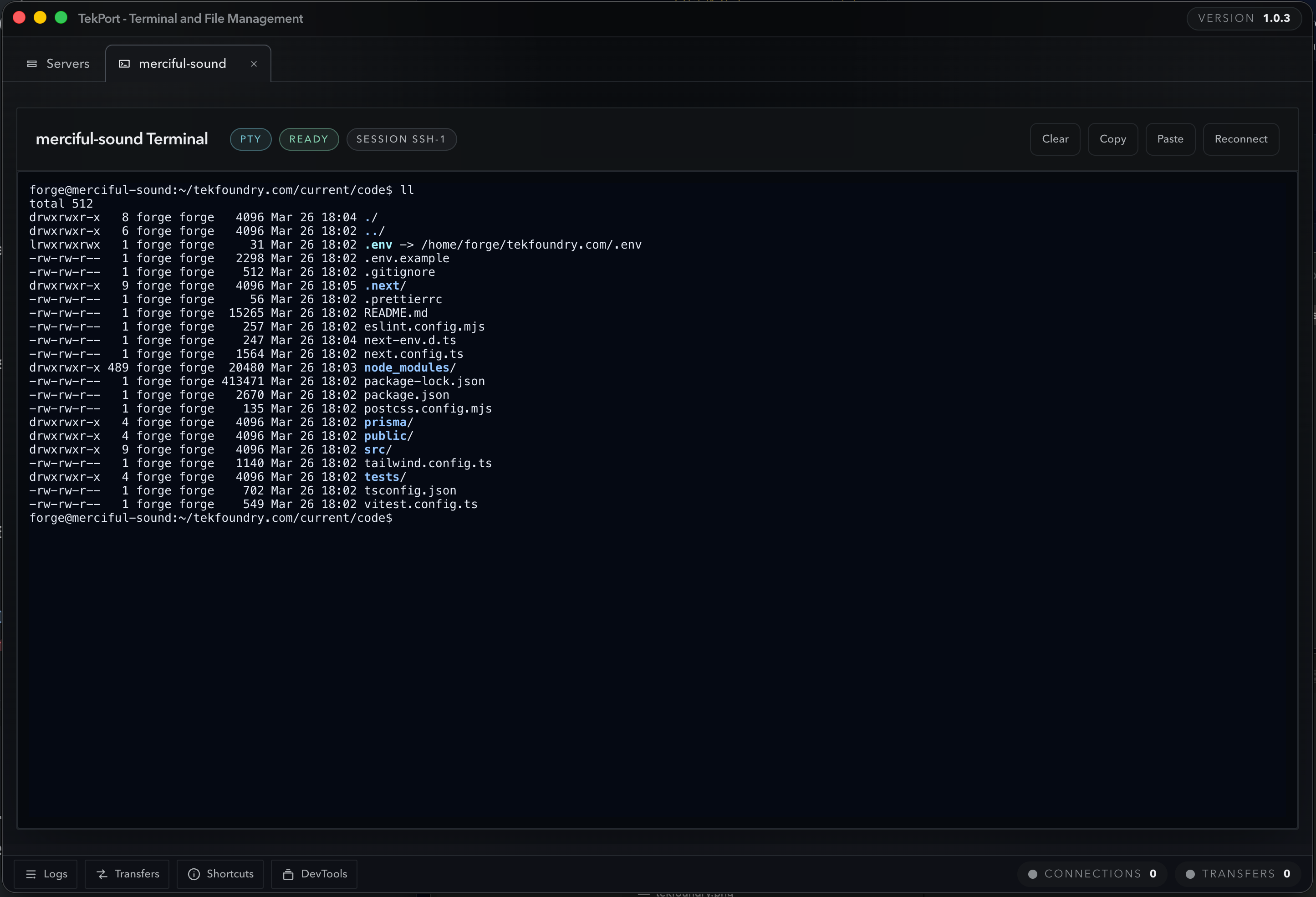
Keep common command-line recipes beside the active terminal.
TekPort brings connection management, remote file access, transfers, editing, and terminal work together so you can move faster with less tool switching.
Create reusable server profiles, test connections before saving, and launch straight into Explorer or Terminal.
Compare both environments side by side with sorting, breadcrumbs, hidden-file toggles, and metadata visibility.
Open an SSH shell inside TekPort with per-tab runtime history, quick reconnect, copy, paste, and clear actions.
Open built-in or local runbooks beside the terminal, detect the host platform, and review commands before you paste or run them.
Open local or remote text files in place with syntax highlighting, draft recovery, save, and Save As workflows.
Queue uploads and downloads with progress, ETA, retry, cancel, and overwrite, skip, or rename conflict controls.
Use password or SSH-key auth, verify host keys, and keep passwords and passphrases out of disk-backed profile storage.
Launch Sites, Services, and Updates from the saved server card and handle common admin work through dedicated review-first interfaces.
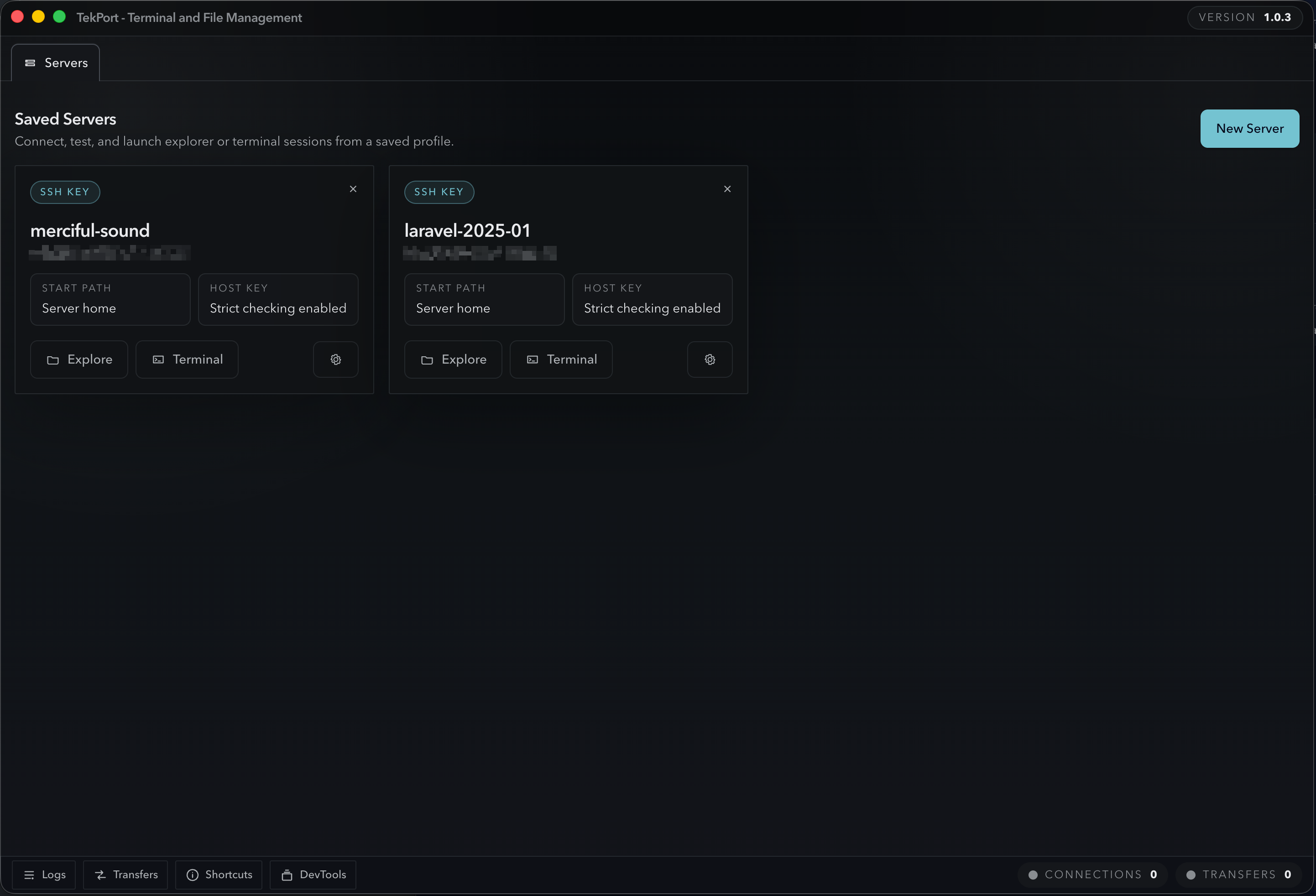
TekPort keeps your everyday hosts close at hand so you can connect, test, and jump directly into the task that matters.
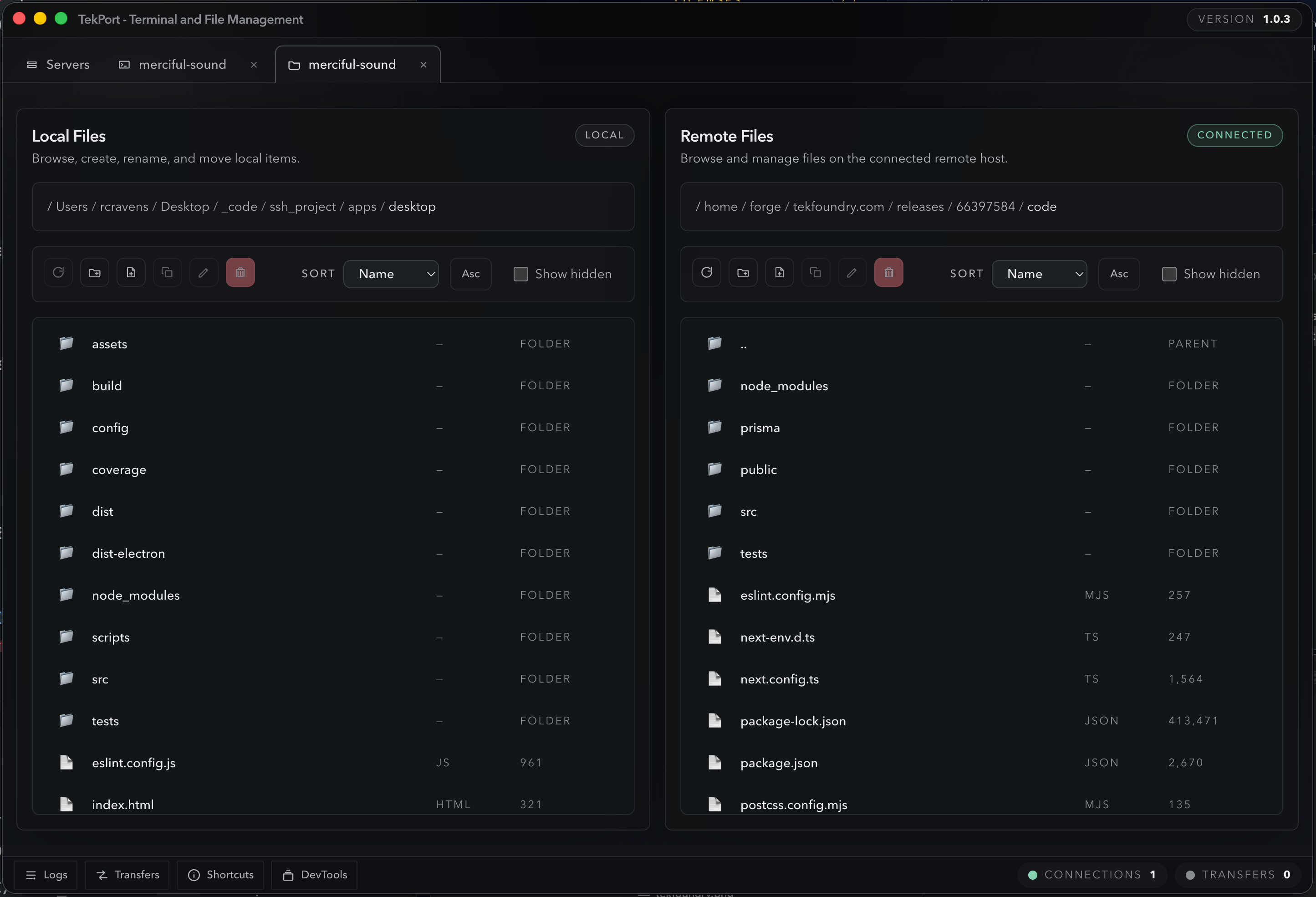
Drag and drop in either direction, create and rename content in place, and keep long-running transfers visible while you work.
TekPort now gives the terminal a runbooks drawer so common operational recipes stay discoverable, reviewable, and tied to the active server.
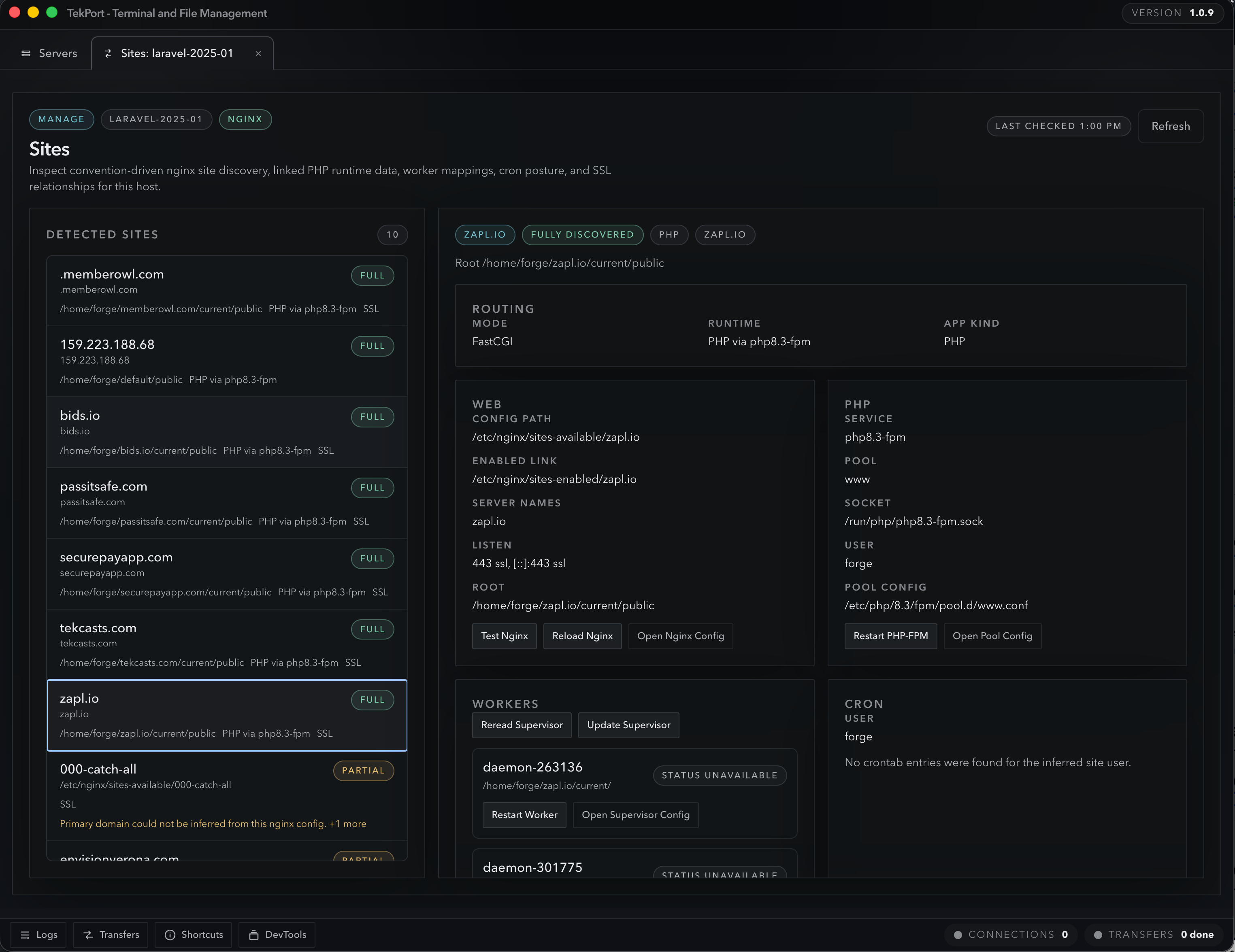
TekPort now brings common server-management work into dedicated UI so you can review status, inspect context, and take explicit actions without rebuilding every task by hand.
TekPort still gives you the terminal when you want raw control, but it now brings more day-to-day server work into focused tabs that are easier to scan, easier to review, and faster to repeat.
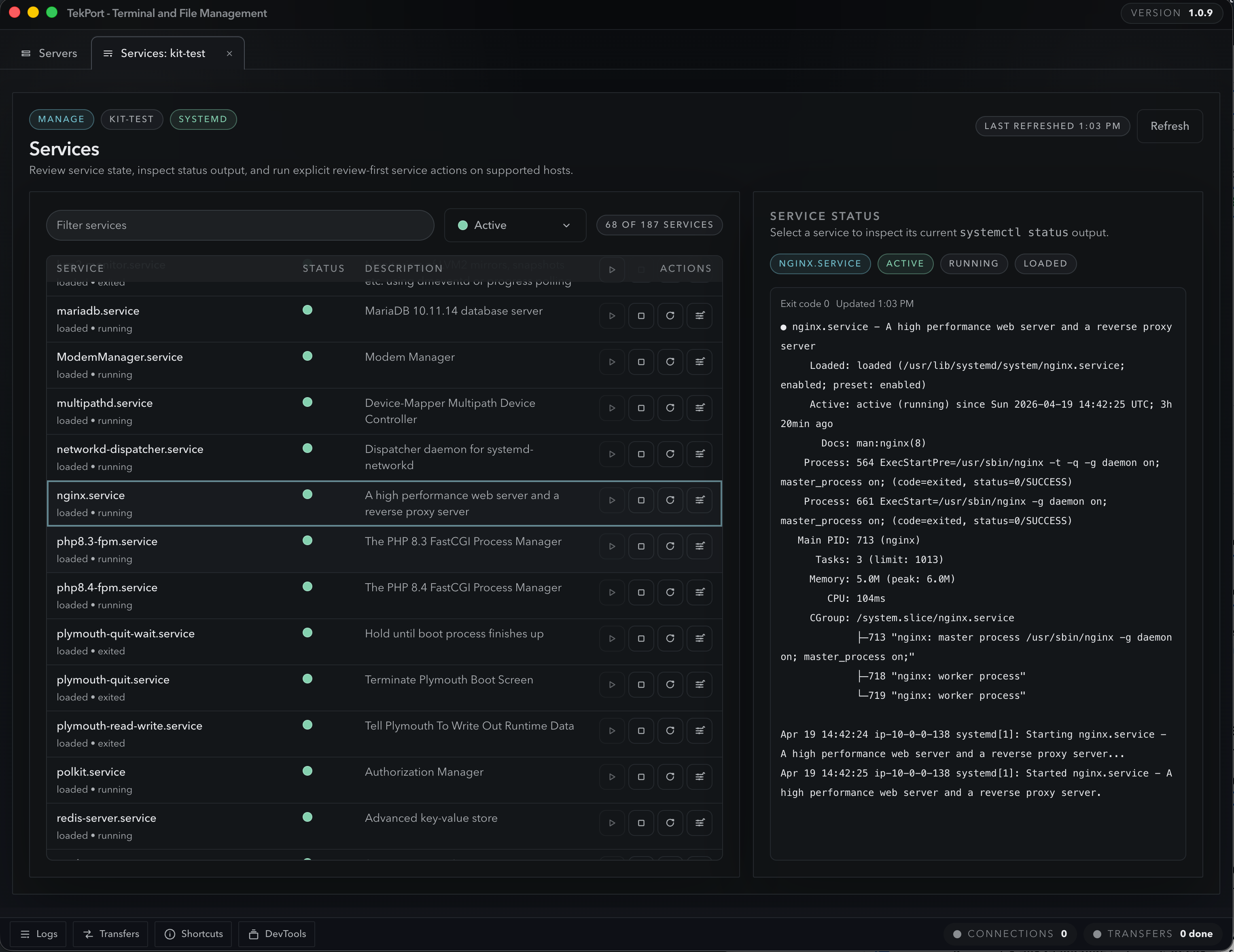
Filter services, inspect current status output, and use review-first start, stop, restart, or reload actions on supported systemd hosts.
Discover nginx-backed sites, review relationship details, open related config files, and take focused web and runtime actions from one view.
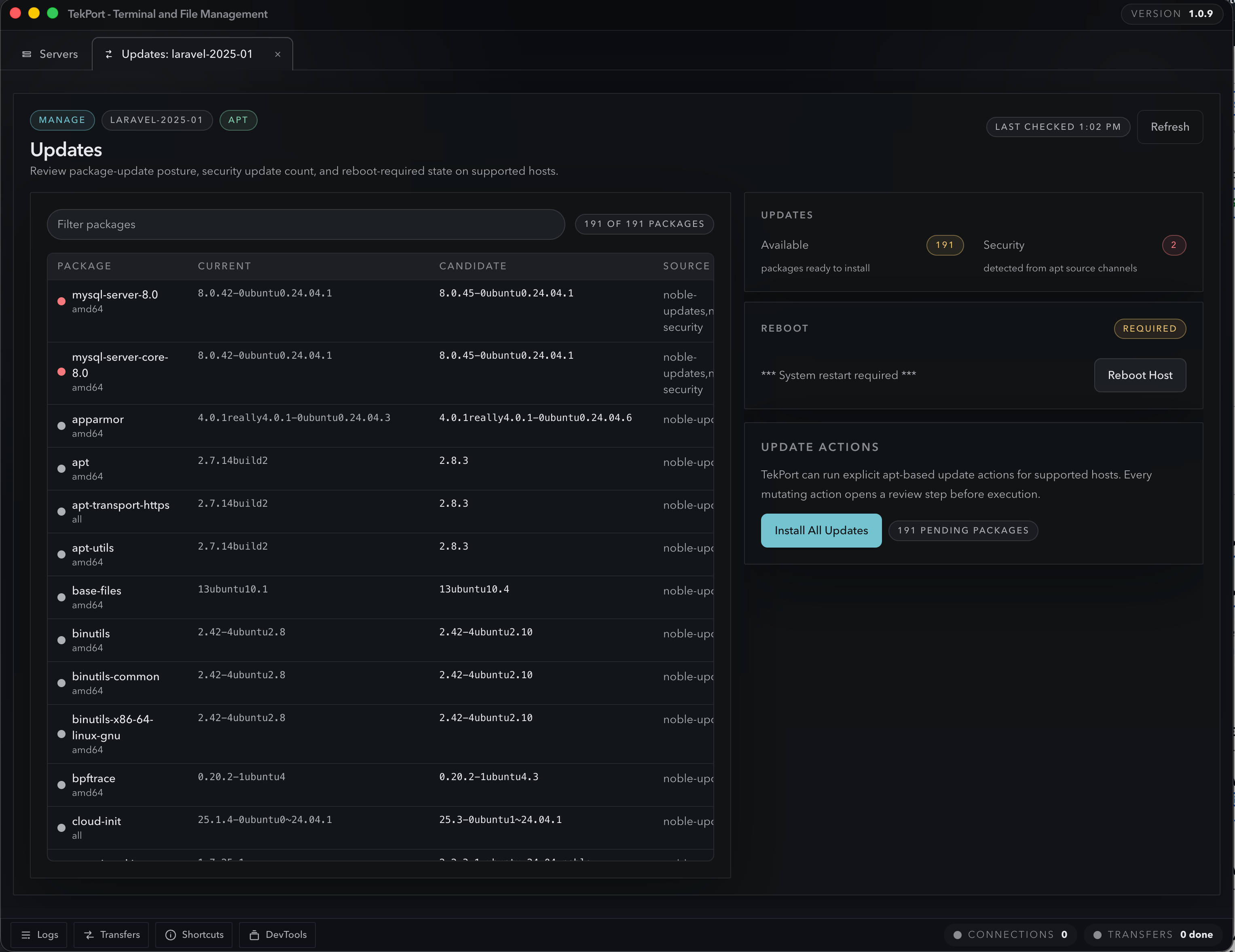
See what needs attention, install individual or all updates with review before execution, and keep reboot-required status visible.
TekPort’s value is not just convenience. The product is full of guardrails that make high-frequency remote work less error-prone.
TekPort handles first-connect host-key trust and surfaces mismatch warnings when a server identity changes.
Large-file warnings, binary-file guards, unsaved-change prompts, and draft recovery reduce accidental mistakes.
Delete confirmations, directory refresh actions, and conflict choices help you move faster without getting careless.
Explore the full product details, see how TekPort fits your workflow, and decide if it is the right desktop tool for the way you manage servers.