Open source AI-agent asset manager
AI Extensions logo
AI Extensions
command: aix

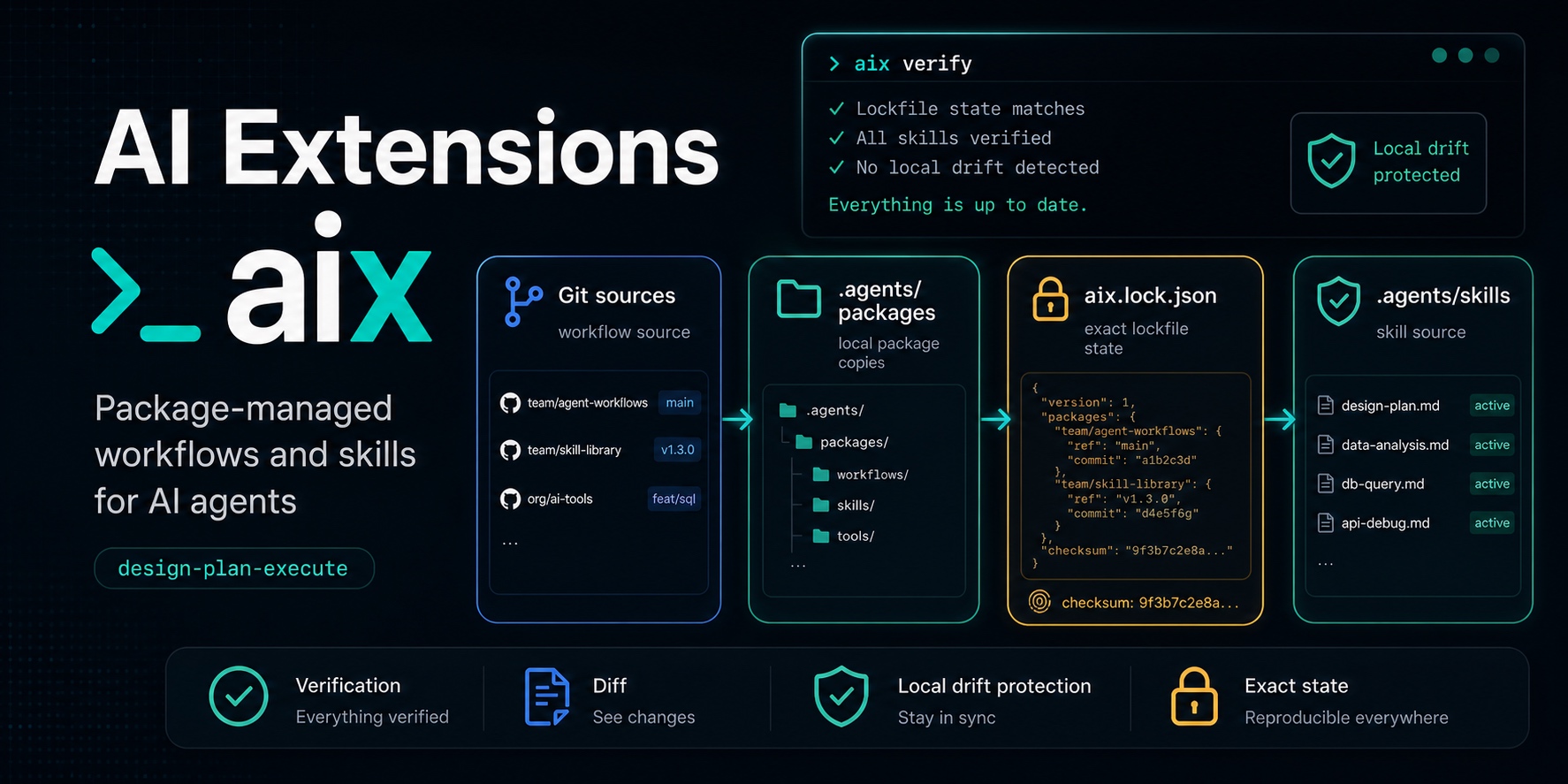
A package manager for reusable AI-agent workflows and skills.

AIX helps teams install, lock, review, update, and remove project-local AI-agent assets with the same discipline they already use for code dependencies.

Give every repo the same planning and verification workflow without copying .agents files by hand.
Keep review, testing, migration, or release skills in one source and activate only what a project needs.
Review workflow and skill changes before accepting them with aix workflow diff and aix skills diff.
Stop updates before they overwrite local edits or remove someone else's work.
project/.agents
$ npm install -g https://github.com/tekfoundry/ai-extensions/releases/download/v0.0.0/tekfoundry-aix-0.0.0.tgz
$ aix init
created aix.json and aix.lock.json
installed .agents workflow docs
$ aix skills add https://github.com/mattpocock/skills/tree/main/skills mattpocock
$ aix skill activate mattpocock/engineering/typescript
ready: shared agent behavior is now project-local and locked
AI Extensions overview
Why AIX

Agent instructions deserve a lifecycle, not a pile of copied notes.

Useful review skills, planning workflows, and bootstrap processes should be shared, versioned, reviewed, and tied to the repo where agents actually run.

Workflows

Package the way agents should work.

Install a project operating model into .agents, insert a managed AGENTS.md block, and activate the workflow-owned skills that support it.

aix workflow install
Skills

Activate only the capabilities a repo needs.

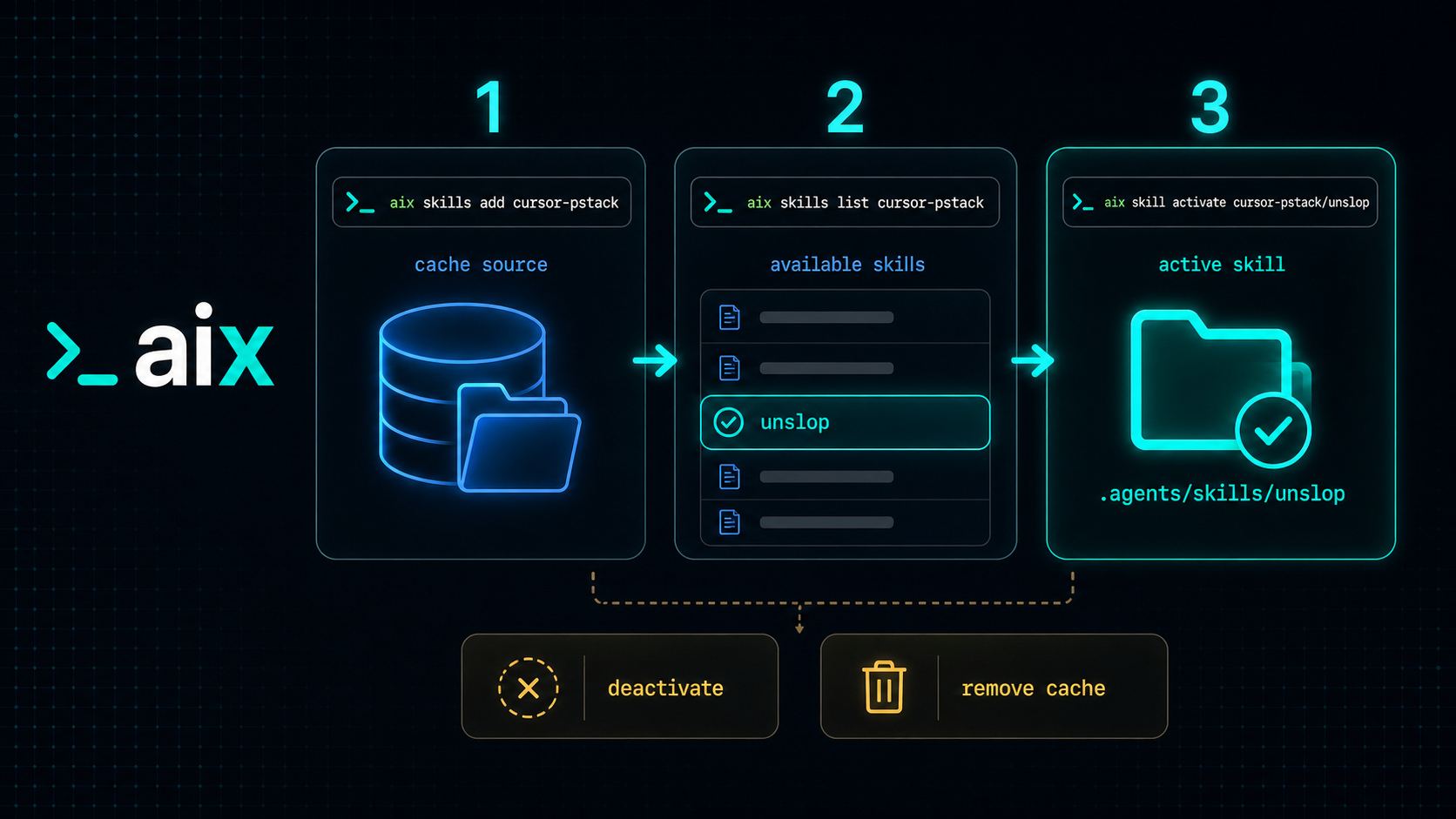
Add Git-backed skill sources, list what they expose, activate selected skills, and use aliases when sources publish the same names.

aix skill activate
Lockfiles

Pin agent behavior to exact commits.

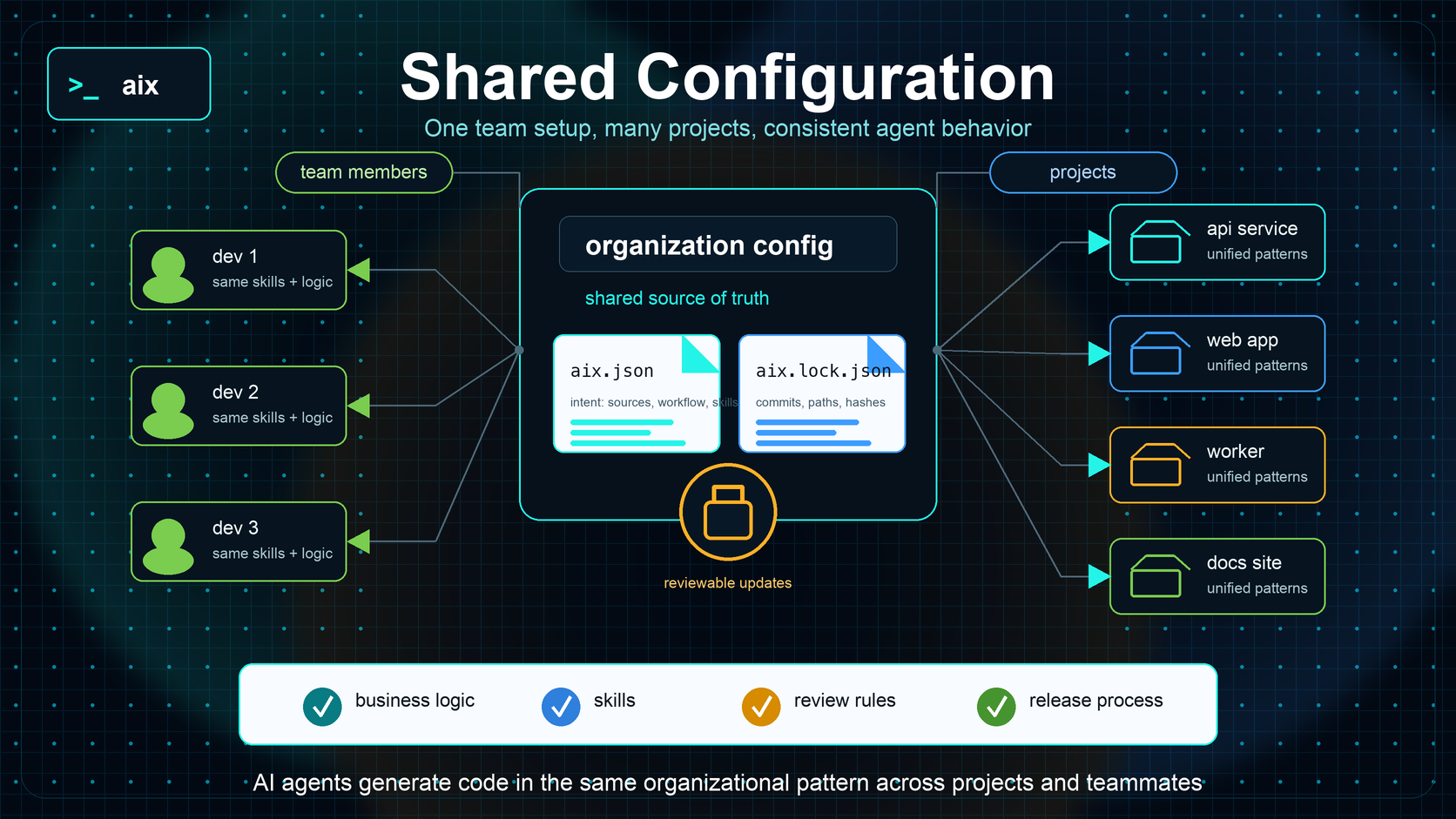
Commit aix.json and aix.lock.json so every teammate gets the same workflow, sources, active skills, and installed file hashes.

aix verify
01

Initialize

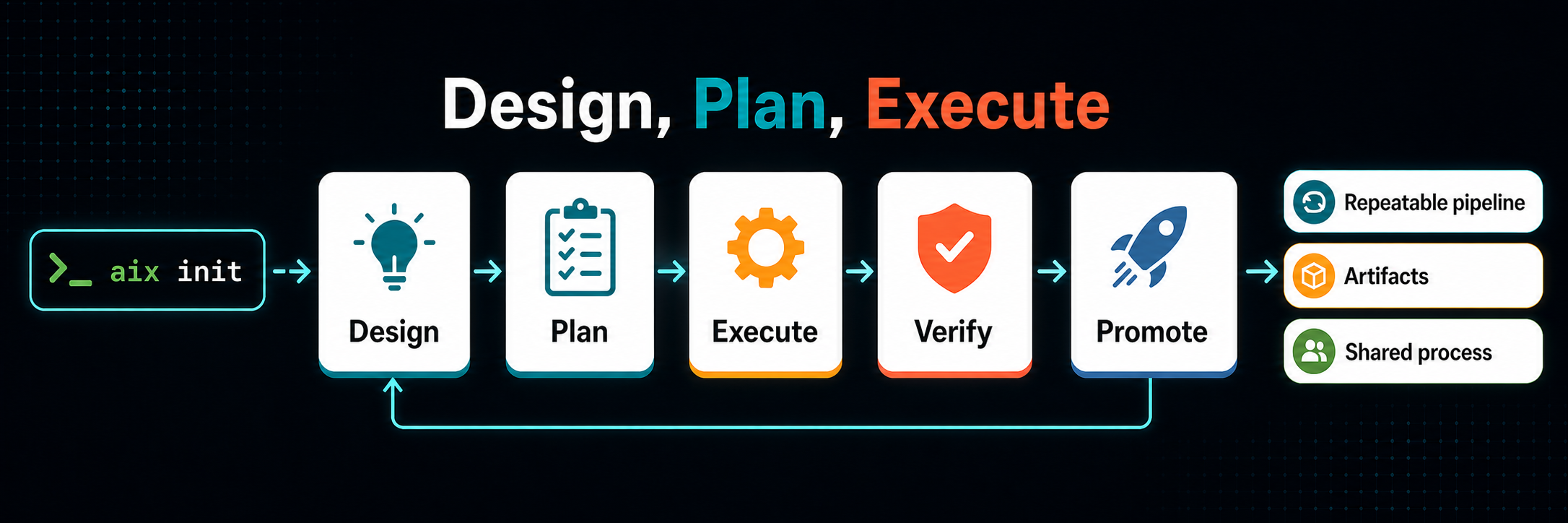
Start with aix init to install the bundled design-plan-execute workflow and write project manifest files.

aix init
02

Inspect

Check the installed state and verify managed files before asking agents to rely on the workflow.

aix status && aix verify
03

Extend

Add a Git skill source, list available skills, and activate the skill paths the project needs.

aix skills add <url> team-skills
04

Update

Review diffs before moving the lockfile forward, keeping agent behavior intentional and auditable.

aix workflow diff
Default Workflow

Design, Plan, Execute gives coding agents a repeatable project rhythm.

The bundled workflow installs process docs, engineering guidance, workflow-owned skills, and a managed AGENTS.md entry that points agents to the right place.

Read More
Design, Plan, Execute workflow summary
Shared Skills

Turn useful agent capabilities into reusable project assets.

AIX keeps source collections, package copies, and active skill names separate so teams can share capabilities without creating private piles of pasted prompts.

AIX skills management summary
Shared Configuration

Commit the manifest and lockfile, then sync agent behavior like code.

Projects declare trusted sources and active skills in aix.json while aix.lock.json records the exact installed state, resolved commits, hashes, and aliases.

AIX shared configuration summary
Install

Start with the GitHub release artifact today.

The npm package is prepared for the @tekfoundry/aix scope. Until that scoped package is published, install the packed build from the GitHub release.

Current install path
npm install -g https://github.com/tekfoundry/ai-extensions/releases/download/v0.0.0/tekfoundry-aix-0.0.0.tgz
aix --help
Planned npm path
npm install -g @tekfoundry/aix